Website launch monitoring checklist
By TechDash · Published 1 September 2026 · Updated 2 September 2026
A website launch should be checked in three stages: before launch, immediately after cutover and during the following week. The first stage establishes intended behaviour. The second catches production mistakes. The third covers delayed crawling, indexing and operational effects.
Monitoring helps repeat the checks, but it does not replace a launch crawl, functional testing, analytics validation or Search Console review.
Assign owners before the launch window
Name the people responsible for:
- Deployment and rollback
- DNS, TLS, hosting and CDN
- Indexability, canonicals and robots.txt
- Redirects
- Analytics and consent
- Structured data
- Search Console
- Content approval
- Incident communication
Give each owner an escalation route. A launch-day alert without authority to act is only a notification.
Build the launch watchlist
Choose representative URLs before cutover:
- Homepage
- One URL per important template
- Highest-value landing pages
- Conversion pages
- Legal and policy pages
- Language or location variants
- Pagination and facet examples where relevant
- robots.txt
- Primary XML sitemap
Add the production URL even if it does not resolve yet. Add a staging equivalent when it can be monitored safely.
TechDash supports HTTP Basic Authentication for relevant staging sites. Record the expected differences between staging and production so intentional noindex or authentication does not create a false conclusion.
Before launch
Crawl and render representative pages
- Confirm expected HTTP responses.
- Compare raw and rendered content where JavaScript matters.
- Check titles, H1s and main content.
- Confirm mobile viewport and important images.
- Check internal links on key templates.
Confirm indexability
- Record the intended robots meta directive.
- Check
X-Robots-Tagresponse headers. - Confirm canonicals use the intended production hostname and path.
- Document pages that should remain non-indexable.
- Confirm staging restrictions will not be copied to production.
Check site resources
- Review the production robots.txt plan.
- Confirm sitemap URLs and expected membership.
- Check sitemap entries are intended to be indexable.
- Confirm DNS and TLS ownership.
- Check domain registration contacts and renewal responsibility.
Validate measurement and markup
- Confirm analytics and required tags on representative pages.
- Validate JSON-LD syntax.
- Confirm markup matches visible content.
- Check the main entity and business-critical fields for each template.
- Verify relevant Search Console properties and access.
Establish the monitoring baseline
Review the first successful staging or pre-launch result. A baseline should represent the intended state, not a half-finished release.
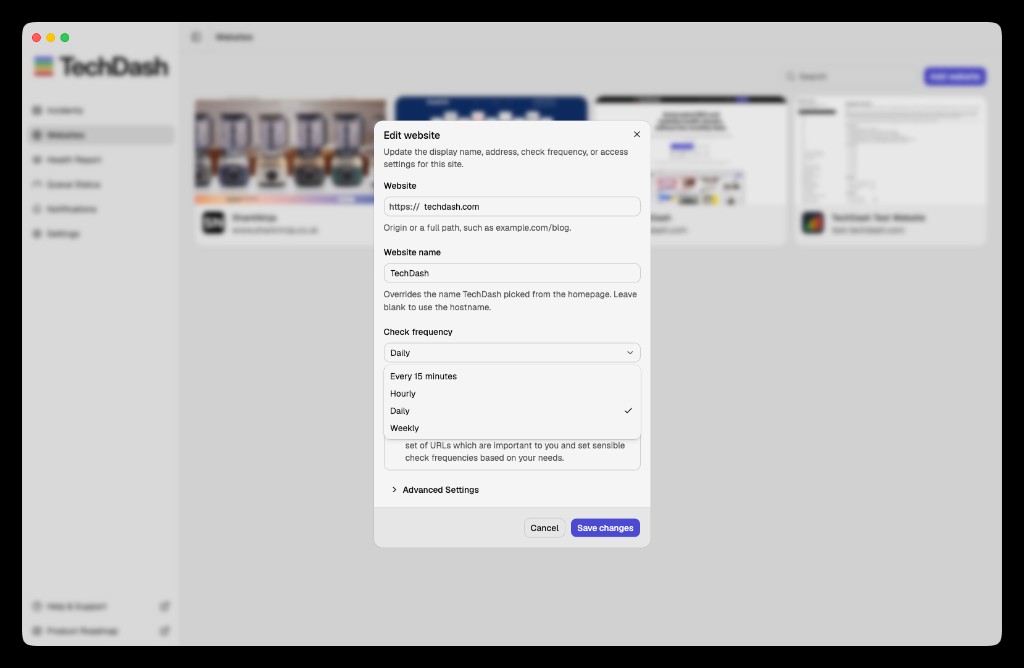
Set normal pages to daily by default unless risk justifies another cadence. TechDash also supports every 15 minutes, hourly and weekly.
One hour before cutover
- Confirm the approved release and rollback decision.
- Freeze unrelated content and configuration changes where practical.
- Confirm the monitoring computer is awake, online and running TechDash.
- Test desktop, Slack, Microsoft Teams or Discord notifications.
- Raise priority-page frequency for the agreed launch window.
- Record current DNS, TLS, robots.txt and sitemap state.
- Confirm owners are available.
Avoid changing more than necessary during the cutover. Simultaneous redesign, CMS, domain and content changes make investigation harder.
Immediately after launch
Availability and routing
- Check the homepage and conversion paths.
- Confirm HTTP status codes.
- Test intended redirects and final destinations.
- Check for redirect chains and loops.
- Confirm HTTPS and the preferred hostname.
- Check TLS and DNS from the production environment.
Crawl and index controls
- Fetch robots.txt and review changed rules.
- Confirm key directories are crawlable as intended.
- Check robots meta and
X-Robots-Tagon representative pages. - Confirm canonicals point to the live preferred URLs.
- Check hreflang annotations and target health where used.
- Confirm the primary sitemap is available.
Content and rendering
- Check titles, H1s, meta descriptions and main content.
- Compare raw and rendered HTML where JavaScript is important.
- Check navigation and internal links.
- Confirm important images and mobile rendering.
- Check that staging banners, placeholder copy and test data are absent.
Structured data and analytics
- Confirm JSON-LD is present and parses.
- Check representative entity types and fields.
- Confirm markup reflects visible content.
- Check analytics and tag presence.
- Complete a real conversion test where authorised.
Search Console
- Verify the correct property.
- Submit or confirm the sitemap.
- Inspect a small set of important URLs.
- Record issues for follow-up rather than expecting immediate indexing.
TechDash's optional Search Console connection can import important pages and use Search Analytics and URL Inspection data. Google API quotas and processing delays still apply.
The first 24 hours
Review incidents by severity. A Critical indexability or robots issue should not be buried under expected title changes.
- Investigate new Critical incidents.
- Confirm whether changed values were planned.
- Check more URLs from an affected template.
- Run a broader crawl after major fixes.
- Use Check & Verify on live pages.
- Confirm optional recovery alerts where useful.
- Review server, analytics and conversion data.
- Check that the monitoring queue is keeping up.
If the computer sleeps or loses internet access, TechDash monitoring pauses and resumes later. Use a suitable workstation if overnight coverage is part of the launch plan.
The first week
Some effects are not visible at cutover. During the first week:
- Review Search Console coverage and inspection evidence.
- Compare search clicks, impressions, CTR and average position cautiously.
- Watch crawl-recency and Google-selected canonical signals where available.
- Review 404s, redirects and soft 404s.
- Check sitemap membership and non-indexable entries.
- Review internal-link counts and orphan monitored pages.
- Check structured data after real content is published.
- Add pages discovered through support, analytics or crawl findings.
- Reduce temporary high-frequency schedules when the risk window ends.
Do not treat normal short-term search variation as proof of a technical fault. Correlate outcome data with recorded changes and crawl evidence.
Incident response
For each launch incident:
- Identify the affected URL and condition.
- Review before-and-after evidence.
- Determine whether the cause is page content, template, header, CDN, DNS or deployment.
- Check the likely scope.
- Fix forward or roll back according to the release plan.
- Rerun the live check.
- Record the cause and prevention action.
TechDash supports Advisory, Warning and Critical severity. Notifications can reach the desktop, Slack, Microsoft Teams or Discord. Use incident evidence to support the response, not as a substitute for investigation.
Priority matrix
Scroll sideways to see every column.
| Finding | Possible priority | First response |
|---|---|---|
| Production site unavailable | Critical | Engage deployment or infrastructure owner |
Key templates carry noindex |
Critical | Confirm scope and remove unintended directive |
| robots.txt blocks important section | Critical | Compare file and deploy intended policy |
| Canonicals point to staging or root | Critical or Warning | Correct generation and test template scope |
| Important redirects fail | Critical or Warning | Apply mapping and verify final destination |
| Structured data missing on one template | Warning | Check rendering and template source |
| Expected title edit | Advisory or no incident | Confirm and record as planned |
Severity should follow the site's risk and agreed response, not this table alone.
Printable launch checklist
Before
- Owners and rollback route confirmed
- Representative URLs selected
- Intended baseline reviewed
- Indexability and canonical rules checked
- robots.txt and sitemaps checked
- Redirects tested
- Structured data and analytics validated
- Search Console access confirmed
- Alerts tested
Cutover
- Availability and HTTPS checked
- Preferred hostname confirmed
- robots.txt fetched
- Indexability and canonicals checked
- Redirect destinations checked
- Content and rendering checked
- JSON-LD and analytics checked
- Sitemap confirmed
After
- Critical incidents reviewed
- Fixes verified live
- Wider crawl completed
- Search Console monitored
- Analytics and conversions reviewed
- Temporary cadence reduced
- Prevention actions recorded
Limitations
Monitoring selected pages cannot certify the whole launch. It can miss unselected URLs, intermittent changes and conditions outside enabled checks. Use a full crawl, manual journeys, accessibility checks, performance tests, analytics validation and server monitoring as appropriate.
TechDash runs locally, so its coverage depends on the computer and internet connection. It is not a hosted uptime service or a replacement for the release team.
Frequently asked questions
When should launch monitoring start?
Add staging and production targets before cutover so expected conditions and alert routes can be reviewed. Do not wait until after the launch to decide what matters.
How long should high-frequency monitoring continue?
Keep it only for the agreed risk window. Return pages to daily or weekly checks once the launch is stable and the team no longer needs a short response time.
Should a new site be indexable immediately?
That depends on the launch plan. Record the intended state and verify it. Do not copy a staging restriction to production by accident.
Does TechDash replace Search Console?
No. Search Console provides Google's own data and inspection tools. TechDash can connect to it optionally and combines that evidence with its website monitoring.
Next step
Create the launch watchlist and assign an owner to every Critical condition. Use TechDash's developer workflow, then keep the monitoring set active through the first week rather than stopping after a successful launch-day check.
Put this workflow on a desktop watchlist
TechDash runs scheduled SEO and site-health checks on your computer. It does not replace crawling, rank tracking, analytics or Search Console.