Robots.txt monitoring for SEO teams
By TechDash · Published 1 September 2026 · Updated 2 September 2026
robots.txt monitoring checks whether the file is available and whether its content or important directives have changed. The aim is not to reject every edit. It is to identify changes that alter crawler access, remove expected sitemap declarations or introduce production rules that were not intended.
A Disallow rule can be correct. A missing rule can also be a problem. Alerts need the crawler, path and business context before someone changes the file.
What robots.txt does
A robots.txt file gives crawlers rules about which URLs they may access. Rules can target all compliant crawlers or named user agents. The file can also contain sitemap declarations.
Google's robots.txt introduction describes it mainly as a way to manage crawling traffic. It is not a reliable method for keeping a web page out of Google. If a page must not appear in search, use an appropriate index-control or access method and make sure crawlers can read a noindex directive where that method is used.
This distinction matters during incident response. Removing a Disallow rule may make a page crawlable, but it does not automatically make the page indexable. Adding a Disallow rule may stop a crawler from seeing a page-level noindex.
What can go wrong
A staging rule reaches production
A release copies a rule such as:
User-agent: *
Disallow: /
That may block compliant crawlers from the entire site. It should be treated differently from a narrow, intentional block on an internal search path.
A valuable directory is blocked
An added rule affects /blog/, /products/ or another important path. The syntax may be valid while the business effect is unintended.
User-agent sections change
A rule may affect only one crawler. Reviewing the file without the user-agent context can lead to the wrong conclusion.
The file becomes unavailable or changes response
Server, CDN or deployment changes can make robots.txt return an error, redirect or unexpected body. Response handling by crawlers can vary, so investigate availability incidents promptly rather than guessing the effect.
Sitemap declarations disappear
Removing a sitemap line does not make the sitemap itself invalid, but it changes one discovery route. Confirm whether submission and internal discovery still match the site's plan.
Formatting or generator output changes
A CMS or deployment can reorder, duplicate or rewrite directives. Not every textual difference changes behaviour. Monitoring should identify the changed content and let a reviewer decide whether it is material.
What to monitor
Scroll sideways to see every column.
| Check | Question |
|---|---|
| Availability | Does the expected robots.txt URL return usable content? |
| Response behaviour | Is the status or redirect different? |
| Full content change | What changed since the previous successful state? |
| Required directive | Is a production rule still present? |
| Forbidden directive | Has a staging or dangerous rule appeared? |
| User-agent section | Which crawler receives the rule? |
| Sitemap declaration | Are expected sitemap URLs still declared? |
| Affected paths | Do the changed patterns cover important directories? |
TechDash includes robots.txt availability and content-change checks. Its site-resource documentation covers product-specific behaviour.
Custom checks can also inspect robots.txt or sitemap XML for values that should be found or not found. A sitewide forbidden assertion can be useful for a staging rule that must never appear in production.
Account for user agents
Do not review a Disallow line without its section. This example affects one named crawler, not all crawlers:
User-agent: ExampleBot
Disallow: /private-preview/
This example sets a general rule and then another group:
User-agent: *
Disallow: /internal-search/

User-agent: ExampleBot
Disallow: /
Crawler interpretation depends on syntax and grouping. Use the relevant search engine's testing and documentation when an incident is crawler-specific.
TechDash can use Chrome, TechDash or custom user-agent options in documented authenticated crawling workflows. Do not assume that a page fetch and a robots rule test use identical user-agent behaviour without checking the relevant support page.
Build a baseline
Save a known-good production file before a release, launch or migration. Record:
- Full content
- Response code and final URL
- Required sitemap lines
- Intended blocked directories
- Named user-agent rules
- Forbidden staging directives
- Owner and source of generation
If the first observed state is already wrong, change monitoring cannot establish when it became wrong. Review the baseline manually.
Choose severity
Possible Critical incidents
Disallow: /appears for all crawlers on a public site.- An important directory becomes blocked unexpectedly.
- robots.txt is unavailable during a migration or launch risk window.
Possible Warnings
- A sitemap declaration disappears.
- A named crawler rule changes unexpectedly.
- The file begins redirecting.
Possible Advisories
- Comments or directive order change without a clear behavioural effect.
- An expected rule changes during planned maintenance and needs confirmation.
These are examples. Severity should follow the site's crawl requirements and response policy.
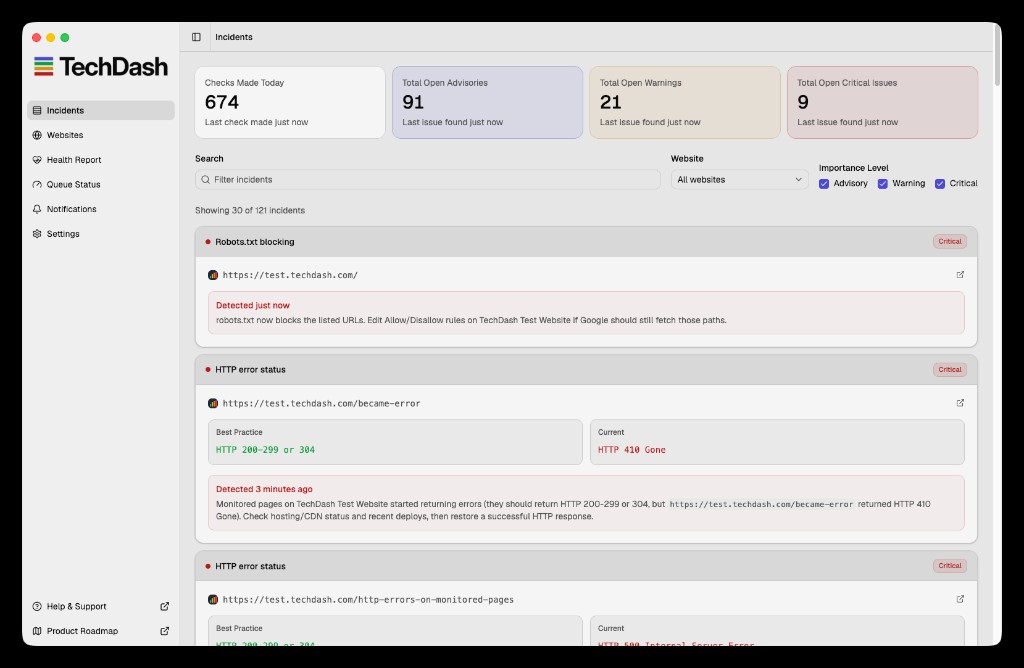
TechDash incidents can be Advisory, Warning or Critical. Notifications can go to the desktop, Slack, Microsoft Teams or Discord. Avoid paging a team for every harmless formatting change.
Reduce false alarms without hiding risk
robots.txt files are often generated, so harmless formatting can change. A monitoring policy can separate textual change from business impact.
- Normalise known line-ending differences before comparison if the product allows it.
- Focus custom assertions on production rules that must or must not exist.
- Keep a full content-change record for review even when it does not notify the main channel.
- Assign comments and reordered directives a lower default severity.
- Raise severity only after evaluating the affected user agent and path.
- Review recurring changes at their source, such as a CMS plugin or deployment script.
Do not silence all content changes because one generator is noisy. A narrow required or forbidden assertion can provide a reliable alert while the full diff remains available for investigation.
If the same robots.txt content is served differently by hostname or protocol, monitor the preferred production location and test the alternatives during launches and migrations. An unexpected redirect or host mismatch can be as important as a changed directive.
Response workflow after an alert
- Fetch the live file and confirm the response.
- Compare the previous and current content.
- Identify the changed user-agent group and path pattern.
- Test representative affected URLs.
- Confirm whether the change was planned.
- Find the source: repository, CMS, hosting panel, CDN or generated template.
- Correct the source and deploy.
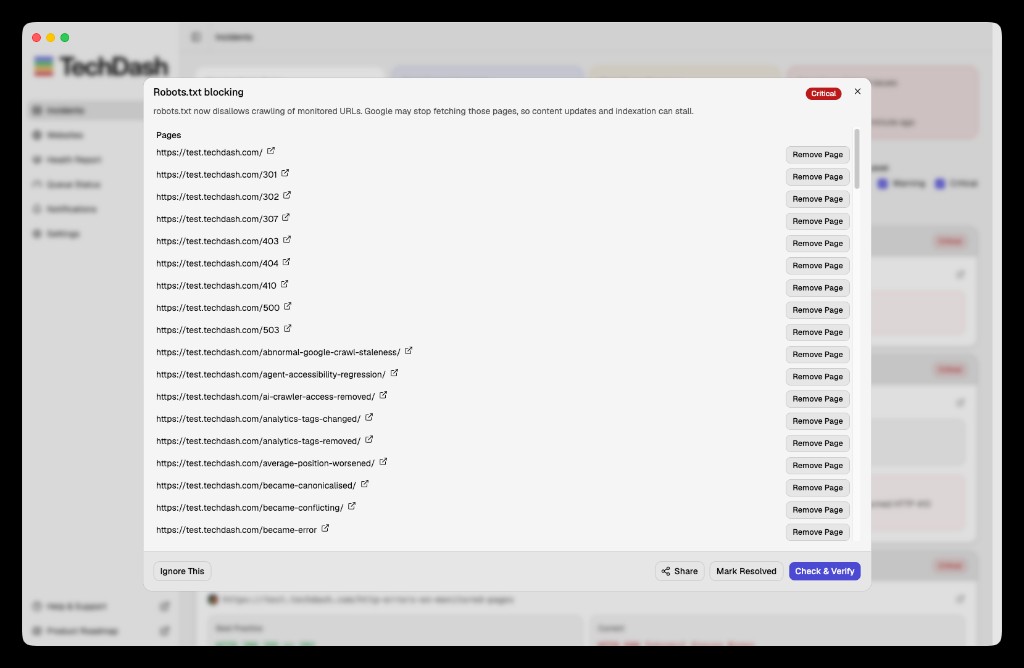
- Use Check & Verify against the live resource.
- Review wider crawl and Search Console evidence if important paths were affected.
- Add a custom forbidden or required assertion when it would prevent recurrence.
Do not edit the live file blindly if it is generated by another system. The next deployment may overwrite the fix.
During launches and migrations
Before cutover:
- Save the intended production robots.txt.
- Confirm staging restrictions are environment-specific.
- Define sitemap URLs.
- Add forbidden assertions for production.
- Test alert routes.
At cutover:
- Fetch the new live file.
- Confirm important sections are crawlable as intended.
- Check sitemap declarations.
- Verify representative pages separately for
noindex, canonicals and response codes.
Continue monitoring after the first successful fetch. A later deployment or configuration sync can change the file again.
Robots.txt monitoring checklist
- Baseline reviewed and approved
- Availability check enabled
- Content-change evidence enabled
- Required sitemap declarations recorded
- Important allowed and blocked paths documented
- Named crawler sections reviewed
- Forbidden staging rules added as custom checks
- Severity and owner assigned
- Alert destination tested
- Live fix verified after every incident
- Related page-level indexability checked separately
Limitations
A content diff cannot determine business intent. A new block may be deliberate, and a textual change may not alter crawler behaviour. Confirm syntax and test representative URLs.
robots.txt monitoring also does not replace page-level indexability, canonical, sitemap or Search Console checks. A crawlable page can still be non-indexable. A blocked page may still have signals in search systems.
TechDash runs from the user's computer. Checks pause if the machine sleeps or loses connectivity. It monitors the configured site and assertions, not every crawler's private implementation.
Frequently asked questions
Can robots.txt remove a page from Google?
Google states that robots.txt is not the mechanism for keeping a web page out of search. Use an appropriate index-control or access method for that goal.
Should every robots.txt change be Critical?
No. Comments, sitemap lines and planned crawl-policy changes have different consequences. Severity should reflect affected crawlers, paths and business importance.
Should the file return a redirect?
Investigate any unexpected response or final URL. Follow the relevant crawler's current documentation before deciding whether the behaviour is acceptable.
Can TechDash look for one exact robots rule?
TechDash documents custom found and not-found checks for robots.txt and sitemap XML. Use them for production-specific assertions.
Next step
Record the current production file and add one assertion for the rule your site cannot afford to ship. Review TechDash robots.txt monitoring and how to respond to robots.txt issues before enabling team alerts.
Put this workflow on a desktop watchlist
TechDash runs scheduled SEO and site-health checks on your computer. It does not replace crawling, rank tracking, analytics or Search Console.